본문 바로가기
카테고리 없음

[C#][Unity] 내비게이션 시스템 (3) 이동 중 자동 공격

by teamnova 2023. 8. 19.
728x90

이전 내비게이션 글을 보고 와주세요!

https://stickode.tistory.com/870

https://stickode.tistory.com/879


오늘은 NavMesh agent 가 이동 중 공격 범위에 적이 들어오면 자동으로 공격하게 만들어 보겠습니다!


먼저 이전에 만들었던 강이랑 아이템을 이런 식으로 없애주세요!

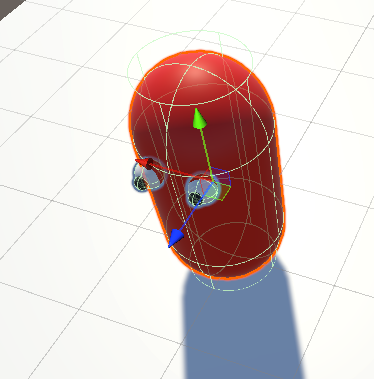
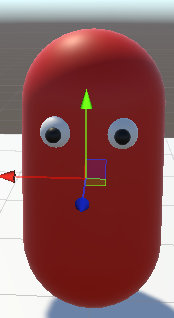
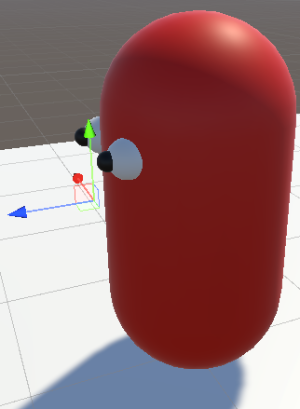
그리고 앞을 구분할 수 있도록 캐릭터를 살짝 꾸며봤어요 앞은 캐릭터 게임오브젝트를 클릭하면 나오는 파란색 화살표가 그 게임오브젝트의 정면이라고 생각하시면 됩니다!

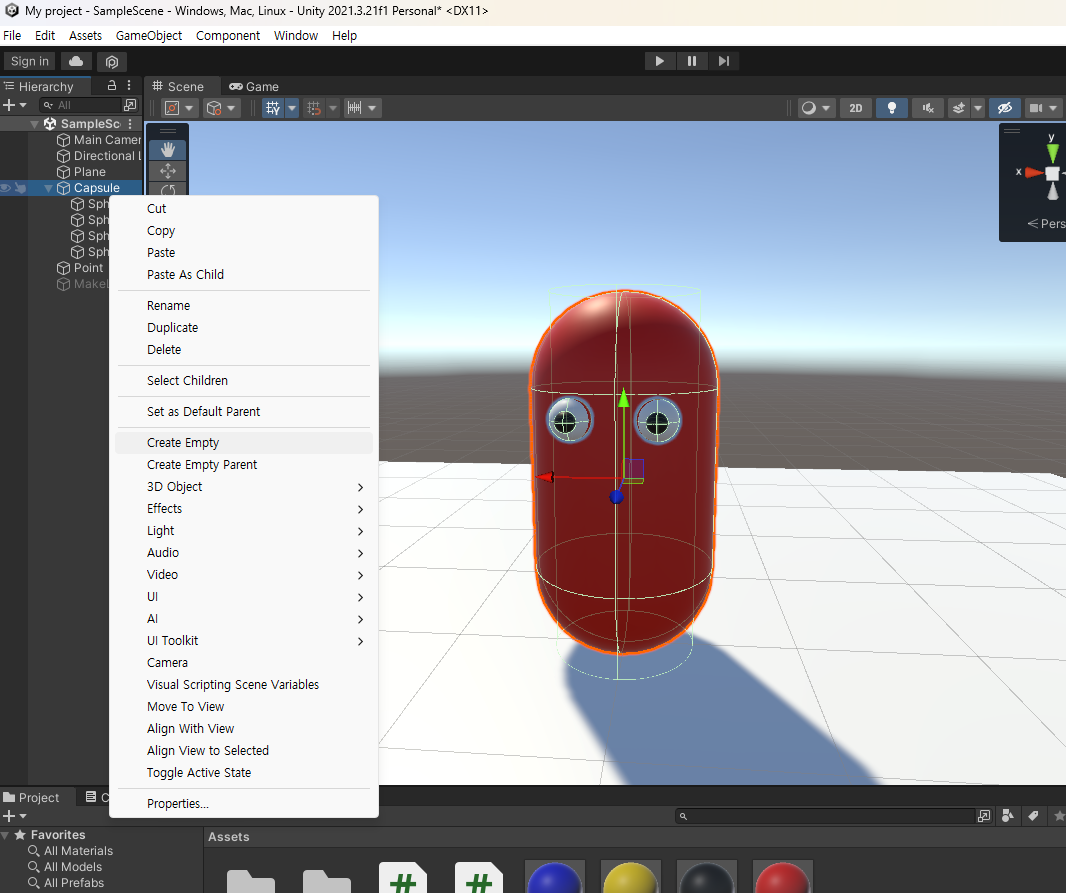
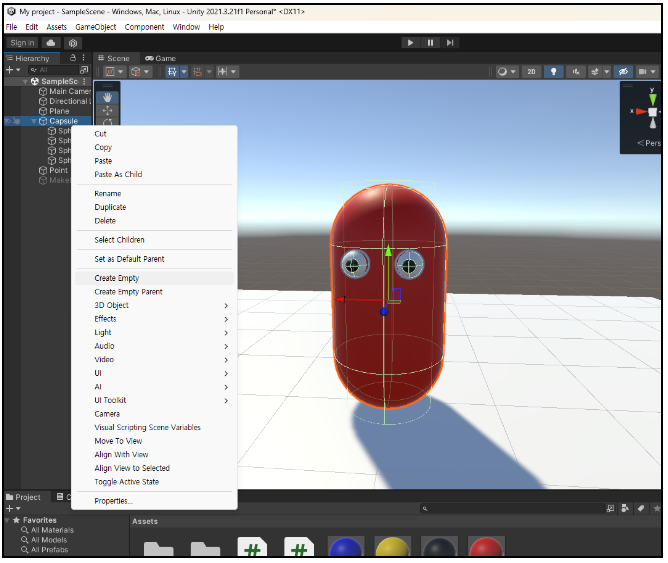
그리고 공격이 나갈 곳을 만들어줄게요 캐릭터에서 우클릭 그리고 create Empty를 눌러줍니다.

그리고 화살표로 이동시키면서 공격이 나갈 위치를 지정해 주세요 저는 이렇게 만들었어요 공격이 나갈 위치의 이름은 AtPos라고 만들었습니다.

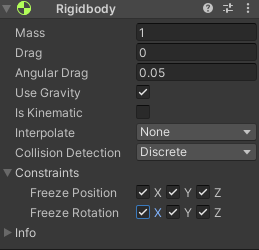
그리고 캐릭터 capsule의 RigidBody를 수정할게요 

이런 식으로 Rigidbody의 Constraints 옵션에 있는 Freeze Position, Freeze Rotation을 다 체크해 주세요!


그리고 공격 투사체를 만들어 주겠습니다.

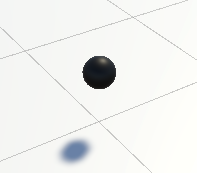
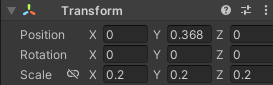
Hierarchy > 빈 공간 우클릭 > 3D object >  Sphere를 클릭 한 뒤 이런 식으로 만들어주세요! 투사체의 Transform 값입니다.

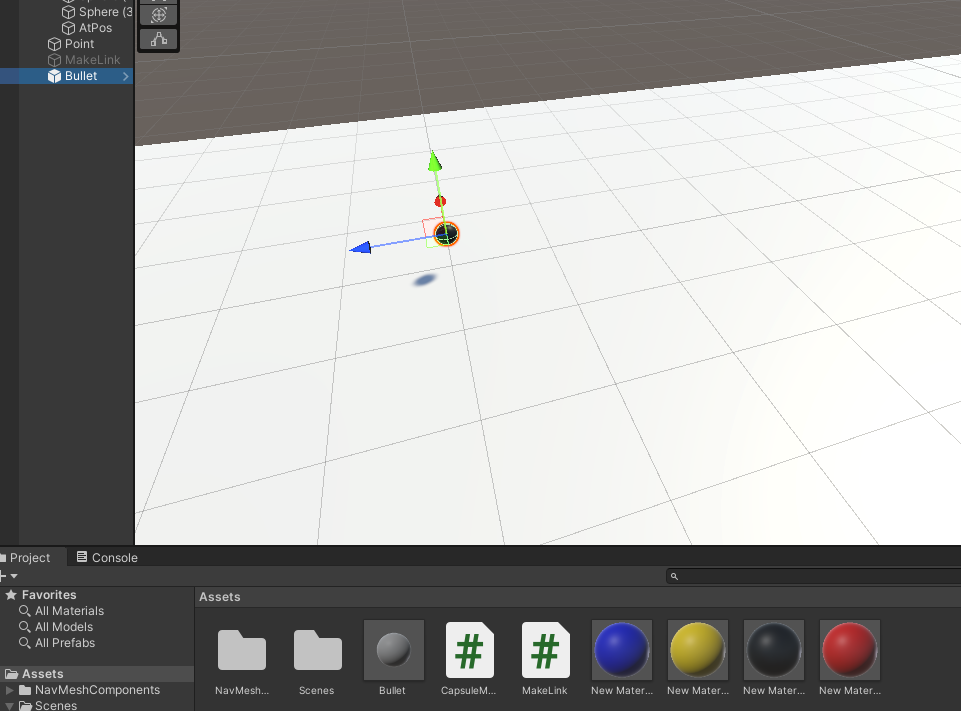
이름은 Bullet이라고 하겠습니다.

그리고 Bullet에 Rigidbody를 추가해주시고 Use Gravity 체크를 해제해 주세요

만든 신 후 Hierarchy에 있는 Bullet을 드래그하여 Assets 폴더 안에 넣어주세요

그리고 씬 안에 있는 Bullet 게임 오브젝트를 삭제해 주세요!

RigidBody(강체), Collider 와 Trigger

RigidBody 는 물리 엔진을 통해 게임 오브젝트를 움직이고 상호작용할 수 있게 해주는 요소입니다. RigidBody 가 추가된 게임오브젝트는 중력이나 힘, 물리 충돌 등에 영향을 받게 됩니다!


Collider는 물리엔진이 물체간 충돌을 감지할 수 있도록 만들어진 요소입니다. RigdBody 요소와 함께 사용하여 물체간 물리적인 상호작용을 할 수 있습니다. Collider 는 두개 이상의 물체가 서로 충돌할 때 OnCollisionEnter, OnCollisionStay, OnCollisionExit 등의 함수를 호출할 수 있습니다.


 Trigger 는 Collider 와 비슷하지만 물리적인 영향을 주지 않습니다. Trigger 는 물체가 충돌할 때 OnTriggerEnter, OnTriggerStay, OnTriggerExit 등의 함수를 호출하며 두 물체의  Tirgger 가 충돌하는 순간에 이벤트를 발생시키기 위해 사용됩니다
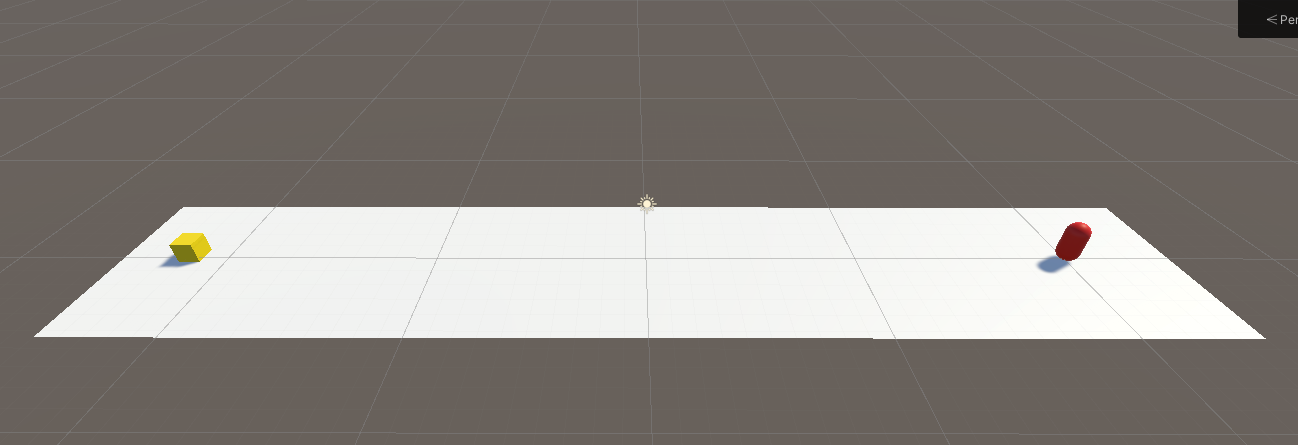
 

RigidBody 

https://docs.unity3d.com/ScriptReference/Rigidbody.html


Unity - Scripting API: Rigidbody

Adding a Rigidbody component to an object will put its motion under the control of Unity's physics engine. Even without adding any code, a Rigidbody object will be pulled downward by gravity and will react to collisions with incoming objects if the right C

docs.unity3d.com

Collider/Trigger

https://docs.unity3d.com/ScriptReference/Collider.html


Unity - Scripting API: Collider


docs.unity3d.com


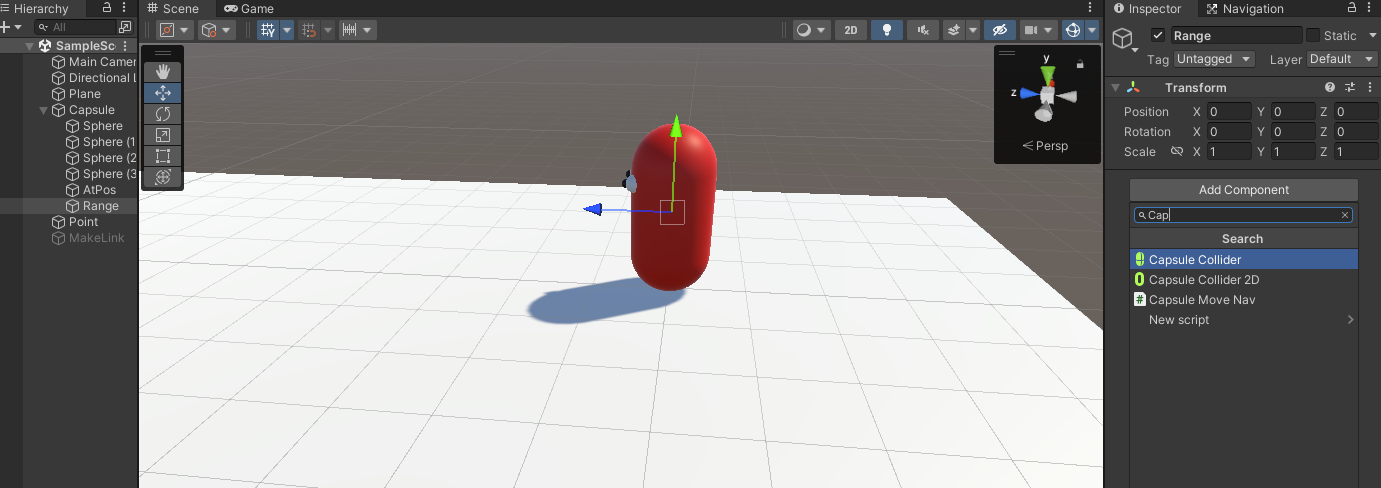
그리고 공격 감지 Trigger를 만들게요 캐릭터에서 우클릭 그리고 create Empty를 눌러줍니다. 이름은 Range라고 하겠습니다.

그리고 Range > Add componet > Capsule Collider 클릭해 주세요

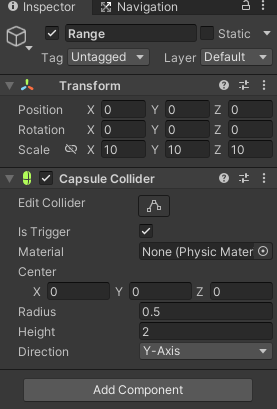
Range의 인스팩터 창입니다. Capsule Colider 를 아래와 같이 설정해주세요

그리고 공겨 할 대상을 만들겠습니다.

공격 대상의 게임 오브젝트의 태그를 Enemy 라고 설정 해줄게요


이제 스크립트를 만들어 보겠습니다.

Capusle 게임 오브젝트

using System.Collections;
using System.Collections.Generic;
using UnityEngine;
// 꼭 넣어주세요 !
using UnityEngine.AI;

public class CapsuleMoveNav : MonoBehaviour
{
    // 목표지점
    public GameObject Point;
    // NavMeshAgent 컴포넌트
    private NavMeshAgent agent;
    // 이동 검사 Bool값
    bool GoPoint;
    // 발사사 스크립트
    public Shot shot;
    void Start()
    {
        // start 유니티 생명주기 start 시점 에서 해당 게임오브젝트의 NavMeshAgent 요소를 가져옵니다.
        agent = GetComponent<NavMeshAgent>();
        // 목적지 Point null 체크해줍니다.
        if(Point != null){
            GoPoint = true;
        }
    }
    void Update()
    {
        MovePoint();
    }

    void MovePoint()
    {
        // 게임오브젝트가 null 이 아니라면
        if(GoPoint){
        // NavMeshAgent 의 월드 좌표에서 목적지을 설정합니다.
        agent.SetDestination(Point.transform.position);
        }
    }
    // 아이템을 먹엇을 때
    private void OnTriggerEnter(Collider other) {
        if(other.tag == "CreateLink"){
            GoPoint = false;
            // Invoke에 대해서 공부해보세요!
            Invoke("GetPoint", 1f);
        }
    }
    // Invoke로 1초뒤에 실행하는 함수.
    void GetPoint(){
        // Point가 사라지기 때문에 다시 Point를 찾아서 할당해줍니다.
        Point = GameObject.FindWithTag("Point");
        // 할당한 뒤 다시 이동하게 만들어줍니다.
        GoPoint = true;
    }
    public void GetTarget(Transform tr){
         GoPoint = false;
        agent.enabled = false;
        gameObject.transform.LookAt(tr.position);
        shot.Shot_Bullet(tr.position);
    }
}

Capsule > AtPos 게임 오브젝트 스크립트

using System.Collections;
using System.Collections.Generic;
using UnityEngine;

public class Shot : MonoBehaviour
{
    // 공격 위치
    Vector3 target;
    // 투사체 발사 위치
    public Transform firePos;
    // 투사체 생성할 프리팹
    public GameObject Bullet;
    // 생성한 프리팹 객체
    GameObject intentBullet;

    public void Shot_Bullet(Vector3 a){
        target = a;
        StartCoroutine("shot");
    }
// 한번 읽어 보세요 https://docs.unity3d.com/kr/2021.3/Manual/Coroutines.html
    IEnumerator shot(){
        intentBullet = Instantiate(Bullet, firePos.position, firePos.rotation);
        Rigidbody BulletRigid = intentBullet.GetComponent<Rigidbody>();
        BulletRigid.velocity = firePos.forward * 10;
        yield return null;
    }
}

Capsule > Range 게임 오브젝트

using System.Collections;
using System.Collections.Generic;
using UnityEngine;

public class Range : MonoBehaviour
{
    private CapsuleMoveNav Cap;
    public bool shot;

    // Start is called before the first frame update
    void Start()
    {
        // 부모의 CapsuleMoveNav 스크립트를 가져옵니다.
        Cap = transform.parent.GetComponent<CapsuleMoveNav>();
    }
    void OnTriggerStay(Collider other){
        if (other.CompareTag("Enemy"))
        {
            if (!shot)
            {
             shot = true;
             Cap.GetTarget(other.gameObject.transform);
             Invoke("ReLoading",0.5f);
            }
        }
    }
    void ReLoading(){
        shot = false;
    }
}

Bullet 프리팹 스크립트

using System.Collections;
using System.Collections.Generic;
using UnityEngine;

public class Bullet : MonoBehaviour
{
    private void OnCollisionEnter(Collision other) {
        if (other.gameObject.tag =="Enemy")
        {
            Destroy(gameObject);
        }
    }
}

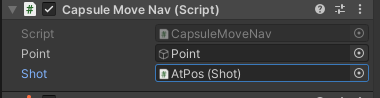
AtPos 스크립트에 선과 같이 오브젝트들을 끌어다가 넣어주세

Capsule 게임오브젝트에 있는 CapsuleMoveNav 스크립트에 AtPos 게임오브젝트를 끌어다가 Shot 부분에 넣어주세요!

결과입니다!