안드로이드 자바
[Java][Android] EditText 화폐 단위 표시
teamnova
2022. 10. 2. 12:00
728x90
사용자에게 화폐를 입력받아 표시할 경우가 발생합니다.
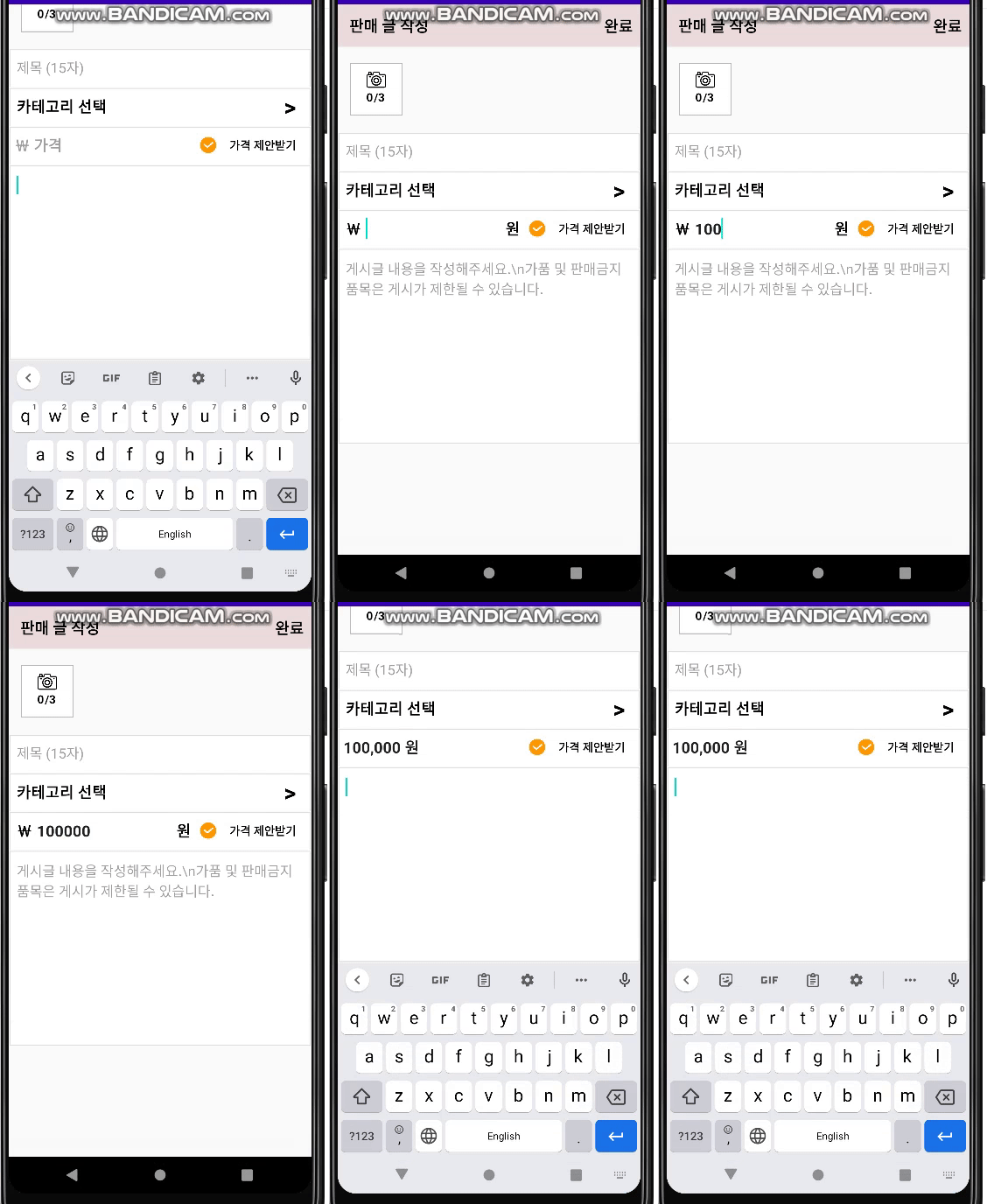
이럴 때 입력 받은 숫자를 원화 단위로 바꿔주는 방법입니다.
1. 결론
2. 레이아웃 구성
<RelativeLayout xmlns:android="http://schemas.android.com/apk/res/android"
    xmlns:app="http://schemas.android.com/apk/res-auto"
    xmlns:tools="http://schemas.android.com/tools"
    android:layout_width="match_parent"
    android:layout_height="match_parent"
    tools:context="com.example.charlie.wontest.MainActivity">
    <EditText
        android:id="@+id/WonEt"
        android:hint="금액을 입력해주세요."
        android:paddingLeft="8dp"
        android:textSize="18sp"
        android:layout_width="match_parent"
        android:layout_height="wrap_content"
        android:layout_marginLeft="8dp"
        android:layout_marginRight="8dp"
        android:layout_marginTop="8dp"
        android:layout_centerInParent="true"
        android:inputType="number"
        />
</RelativeLayout>
EditText 를 다음과 같이 준비합니다.
2-2 화폐 단위 표시하기
화폐 단위를 표시하기 위해서 DecimalFormat 을 사용합니다.
private DecimalFormat decimalFormat = new DecimalFormat("#,###");
private EditText wonEt;
private String result="";
private DecimalFormat decimalFormat = new DecimalFormat("#,###");
이 부분이 원화 단위로 글자를 변경 시켜주는 부분입니다.
wonEt = (EditText) findViewById(R.id.wonEt);
wonEt.setOnFocusChangeListener(new View.OnFocusChangeListener() {
            @Override
            public void onFocusChange(View v, boolean hasFocus) {
            String price = wonEt.getText().toString();
                if (hasFocus) {
                	if (!price.isEmpty()){
                    	wonEt.setText(price)
                        wonEt.setSelection(result.length());
                    }
                } else {
                    if (!price.isEmpty()) {
                        result = decimalFormat.format(Integer.parseInt(price));
        				wonEt.setText(result + "원");
        				wonEt.setSelection(wonEt.getText().toString().length());
                    }
                }
            }
        });
다음 과 같이 FocusChangeListener를 EditText에 달면 화폐단위가 파싱됩니다.