안드로이드 자바
[Java][Android] 이미지 회전
teamnova
2022. 3. 2. 12:00
728x90
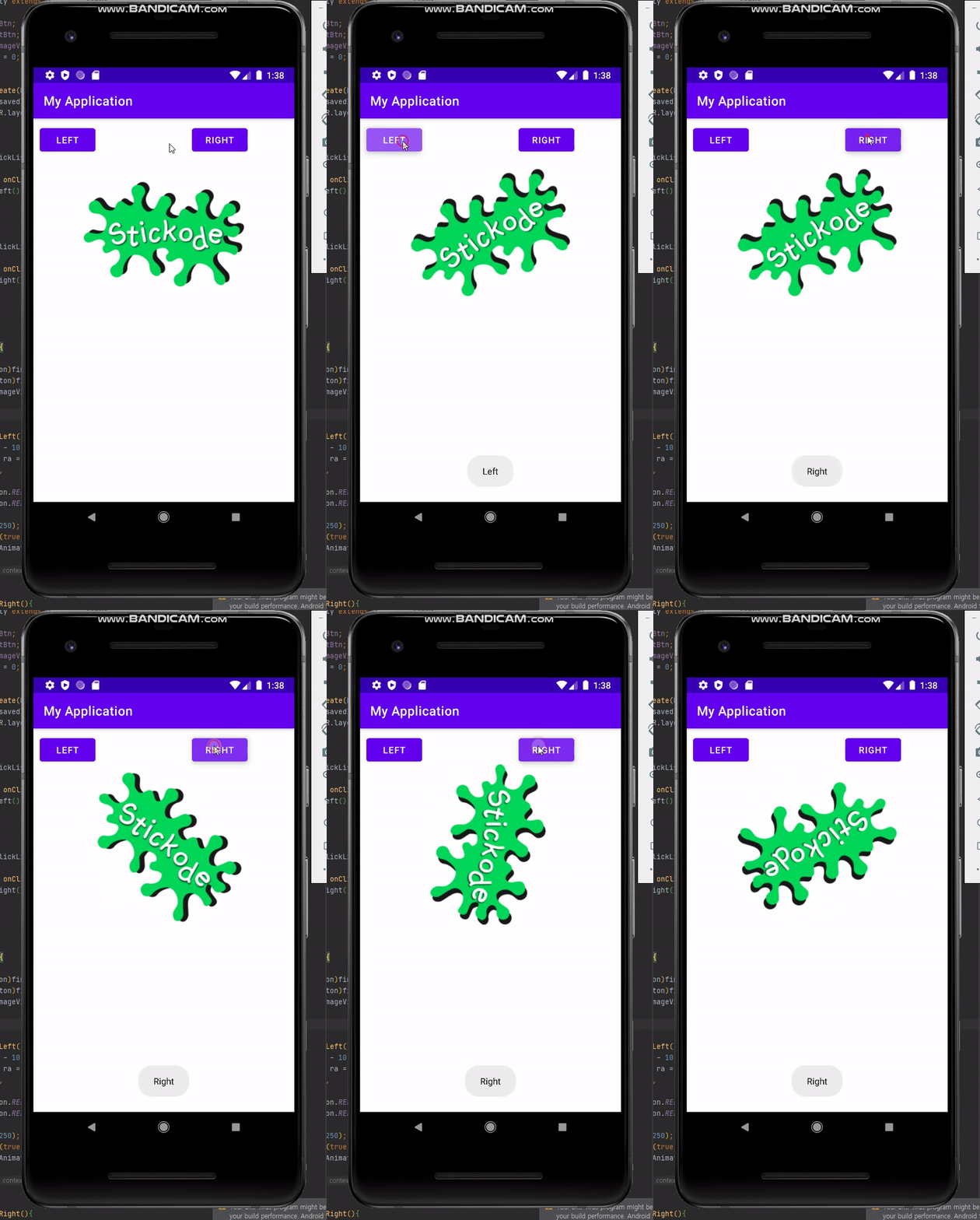
오늘은 자바 언어를 통애 안드로이드 에서 이미지를 회전하는 것에 대해서 해보려고한다.
바로 전체적인 코드를 드리면
public class MainActivity extends AppCompatActivity {

    private Button leftBtn;
    private Button rightBtn;
    private ImageView imageView;
    private int nBefore = 0;

    @Override
    protected void onCreate(Bundle savedInstanceState) {
        super.onCreate(savedInstanceState);
        setContentView(R.layout.activity_main);

        init();

        leftBtn.setOnClickListener(new View.OnClickListener() {
            @Override
            public void onClick(View v) {
                rotateLeft();

            }
        });

        rightBtn.setOnClickListener(new View.OnClickListener() {
            @Override
            public void onClick(View v) {
                rotateRight();
            }
        });

    }

    private void init(){

        leftBtn = (Button)findViewById(R.id.left_btn);
        rightBtn = (Button)findViewById(R.id.right_btn);
        imageView =  (ImageView)findViewById(R.id.roteImage);

    }

    private void rotateLeft(){
        int i = nBefore - 10;
        RotateAnimation ra = new RotateAnimation(
                nBefore,
                i,
                Animation.RELATIVE_TO_SELF, 0.5f,
                Animation.RELATIVE_TO_SELF, 0.5f
        );
        ra.setDuration(250);
        ra.setFillAfter(true);
        imageView.startAnimation(ra);
        nBefore = i;
        Toast.makeText(MainActivity.this, "Left", Toast.LENGTH_SHORT).show();
    }

    private void rotateRight(){
        int i = nBefore + 10;
        RotateAnimation ra = new RotateAnimation(
                nBefore,
                i,
                Animation.RELATIVE_TO_SELF, 0.5f,
                Animation.RELATIVE_TO_SELF, 0.5f
        );
        ra.setDuration(250);
        ra.setFillAfter(true);
        imageView.startAnimation(ra);
        nBefore = i;
        Toast.makeText(MainActivity.this, "Right", Toast.LENGTH_SHORT).show();

    }

}
위 와 같습니다.
RotationAnimation : 개체의 회전을 제어하는 애니메이션
RotateAnimation(float fromDegrees, float toDegrees, int pivotXType, float pivotXValue, int pivotYType, float pivotYValue) : 코드에서 RotateAnimation을 빌드할 때 사용할 생성자
setDuration() : 애니메이션이 지속되어야 하는 시간
setFillAfter(Boolean) : true 인 경우 이 애니메이션이 수행한 변환은 완료될 때 유지된다.
startAnimation(Animation animation) : 지정된 애니메이션을 시작한다.
전체적인 흐름은 다음 장면의 좌표값을 설정후 몇초동안 진행될지 등을 설정을 하고
해당 애니메이션을 이미지뷰에 적용합니다.
이를 통해 버튼들을 누르게되면 이미지가 회전하게됩니다.