안드로이드 자바
[JAVA][Android] 서버 이미지 불러오기
teamnova
2022. 3. 4. 12:00
728x90
안녕하세요 저번 시간에는 volley plus 라이브러리를 이용하여 서버에 이미지 파일을 업로드 시켜보았습니다.
이번 시간엔 서버에 올린 파일을 가져와 보도록 하겠습니다.

매니페스트에서 인터넷 권한을 주시고요
XML 파일
<?xml version="1.0" encoding="utf-8"?>
<LinearLayout xmlns:android="http://schemas.android.com/apk/res/android"
    xmlns:app="http://schemas.android.com/apk/res-auto"
    xmlns:tools="http://schemas.android.com/tools"
    android:layout_width="match_parent"
    android:layout_height="match_parent"
    tools:context=".subActivity"
    android:orientation="vertical"
    >


    <ImageView
        android:id="@+id/imageView_server"
        android:layout_width="match_parent"
        android:layout_height="wrap_content"
        tools:srcCompat="@tools:sample/avatars" />
    <TextView
        android:layout_width="match_parent"
        android:layout_height="wrap_content"
        android:gravity="center"
        android:text="이미지 불러옴"/>

</LinearLayout>
JAVA
package org.techtown.volly_image;

import androidx.appcompat.app.AppCompatActivity;

import android.graphics.Bitmap;
import android.graphics.BitmapFactory;
import android.os.Bundle;
import android.widget.ImageView;

import java.io.IOException;
import java.io.InputStream;
import java.net.HttpURLConnection;
import java.net.MalformedURLException;
import java.net.URL;

public class subActivity extends AppCompatActivity {

    ImageView imageView_server;
    Bitmap bitmap;
    String imageUrl="도메인주소 + 이미지명 확장자";


    @Override
    protected void onCreate(Bundle savedInstanceState) {
        super.onCreate(savedInstanceState);
        setContentView(R.layout.activity_sub);
        imageView_server=findViewById(R.id.imageView_server);

        Thread Thread = new Thread() {

            @Override

            public void run(){

                try{

                    URL url = new URL(imageUrl);

                    HttpURLConnection conn = (HttpURLConnection)url.openConnection();

                   //     HttpURLConnection의 인스턴스가 될 수 있으므로 캐스팅해서 사용한다
                   //     conn.setDoInput(true); //Server 통신에서 입력 가능한 상태로 만듦
                    conn.connect();

                    InputStream is = conn.getInputStream();
                    //inputStream 값 가져오기

                    bitmap = BitmapFactory.decodeStream(is);
                    // Bitmap으로 반환


                } catch (IOException e){

                    e.printStackTrace();

                }

            }

        };

        Thread.start();


        try{

            //join() 호출하여 별도의 작업 Thread가 종료될 때까지 메인 Thread가 기다림
            Thread.join();
            imageView_server.setImageBitmap(bitmap);
        }catch (InterruptedException e){

            e.printStackTrace();

        }

    }

}
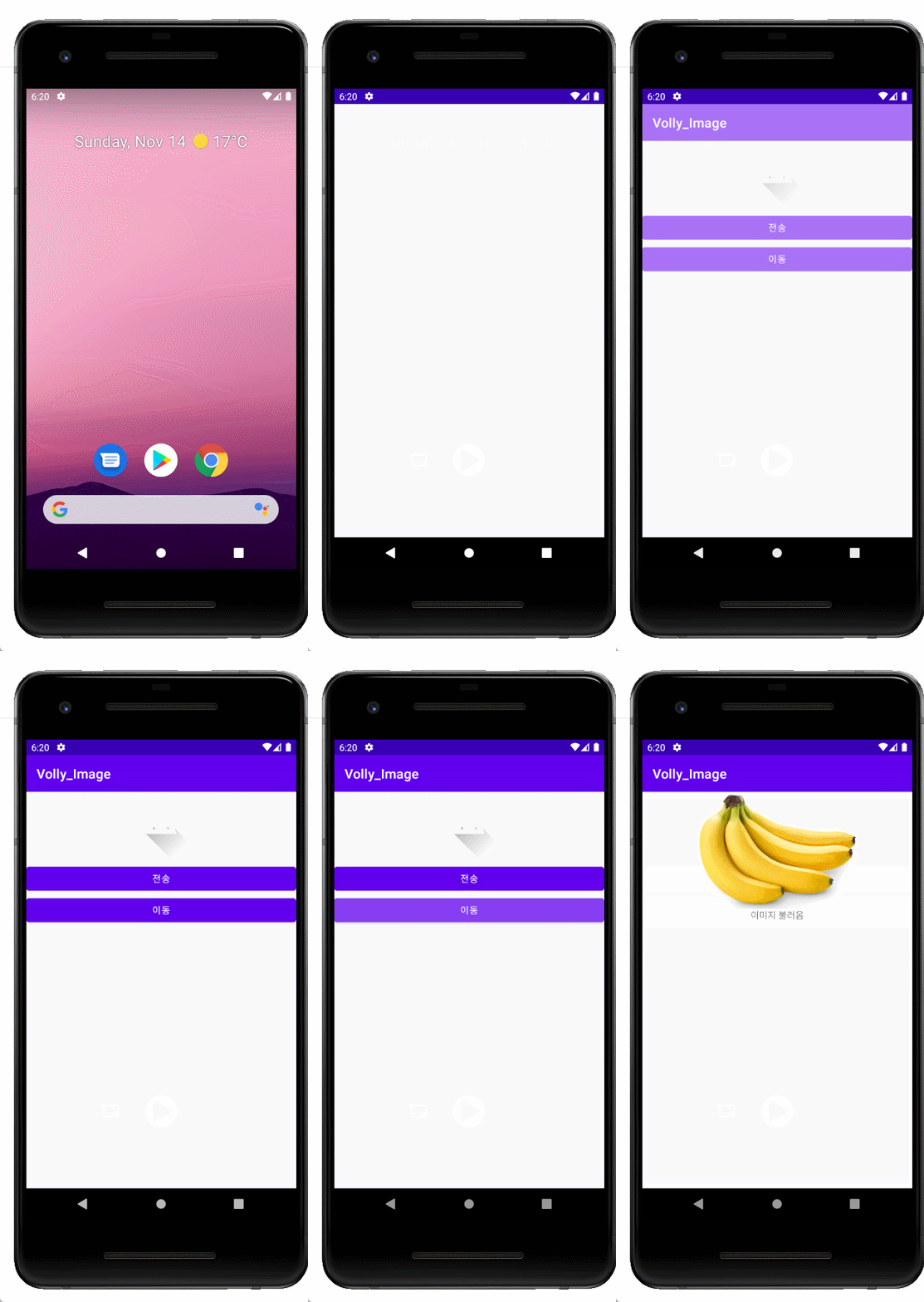
지난주에 올린 바나나 이미지를 서버에서 가져온 것을 확인할 수 있습니다.