[JAVA][Android] EditText Text변화
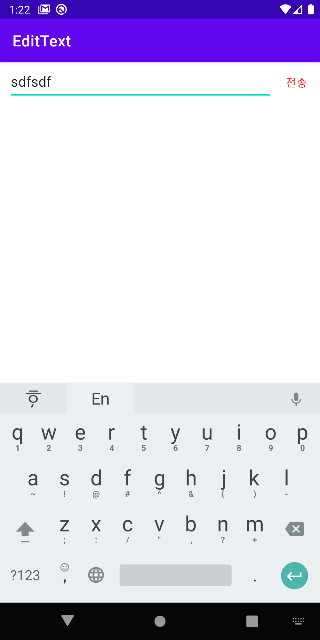
EditText에 Text가 한글자라도 입력이 되면 버튼이 보여지고
입력이 되지 않으면 버튼이 보여지지 않는 것을 구현해 보겠습니다.
채팅창에서 글자를 입력하면 전송하는 버튼이 활성화 되어 메세지를 전송가능하게 할 때 사용이 많이 되는 것 같습니다.
addTextChangedListener 메서드를 활용하여 입력되는 텍스트에 변화가 있을 때마다 리스너 이벤트가 작동하게 합니다.
1. MainActivity.java
스틱코드를 사용하여 만들어 놓은 코드를 입력합니다. -> 아래쪽에 방법을 알려드릴게요~~!!
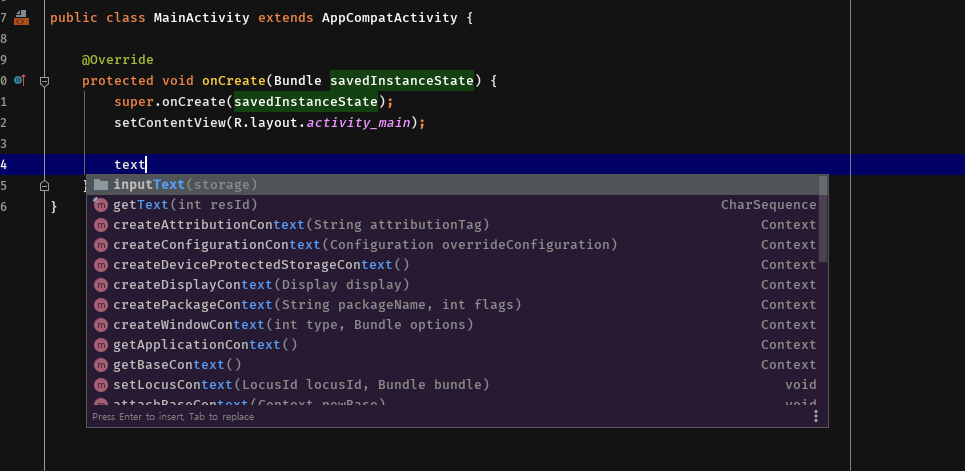

버튼이름과 입력하는 곳 이름을 수정합시다.

입력하기 전(beforeTextChanged) : 전송버튼이 보이지 않게
입력란에 변화가 있을 때(onTextChanged) : 전송버튼이 보이게
입력이 끝났을 때(afterTextChanged) : 아무 변화없음
2. activity_main.xml
<?xml version="1.0" encoding="utf-8"?>
<androidx.appcompat.widget.LinearLayoutCompat xmlns:android="http://schemas.android.com/apk/res/android"
    xmlns:app="http://schemas.android.com/apk/res-auto"
    xmlns:tools="http://schemas.android.com/tools"
    android:layout_width="match_parent"
    android:layout_height="match_parent"
    tools:context=".MainActivity">

    <LinearLayout
        android:id="@+id/layout1"
        android:layout_alignParentBottom="true"
        android:layout_width="match_parent"
        android:layout_height="50dp"
        android:orientation="horizontal"
        android:weightSum="10"
        >
        <EditText
            android:id="@+id/etChat"
            android:layout_width="0dp"
            android:layout_weight="8.5"
            android:layout_height="match_parent"
            android:hint="메세지를 작성하세요."
            android:gravity="center_vertical"
            android:layout_marginStart="10dp"
            android:maxHeight="84dp"
            android:maxLines="5"
            android:minLines="1">
        </EditText>
        <Button
            android:id="@+id/btnChatSubmit"
            android:layout_width="0dp"
            android:layout_weight="1.5"
            android:layout_height="wrap_content"
            android:background="#00ff0000"
            android:text="전송"
            android:textColor="@color/red"
            android:visibility="gone">
        </Button>
    </LinearLayout>

</androidx.appcompat.widget.LinearLayoutCompat>
** 스틱코드에 코드 등록하기**
https://stickode.com/howto.html#jetbrains_installation
Stickode overview - Help
stickode.com
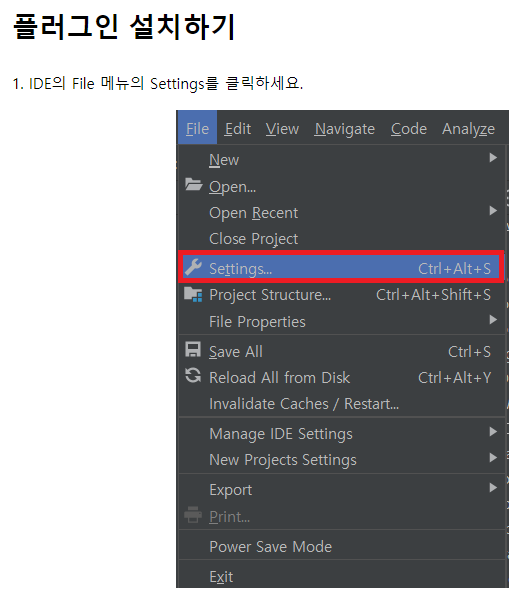
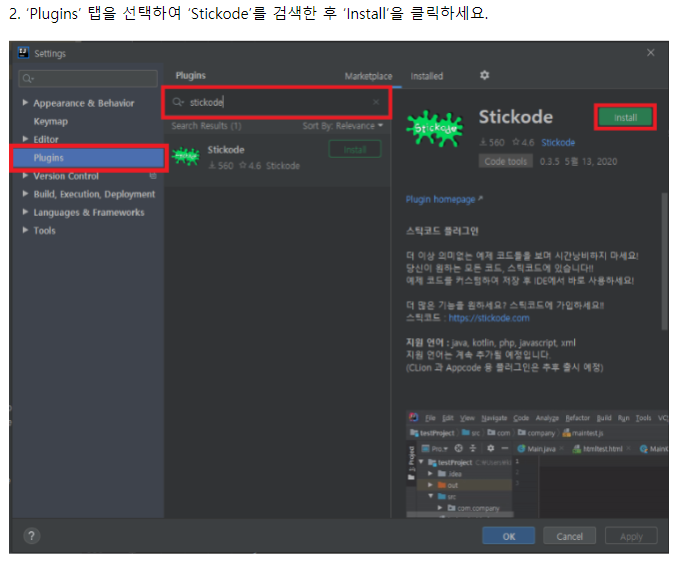
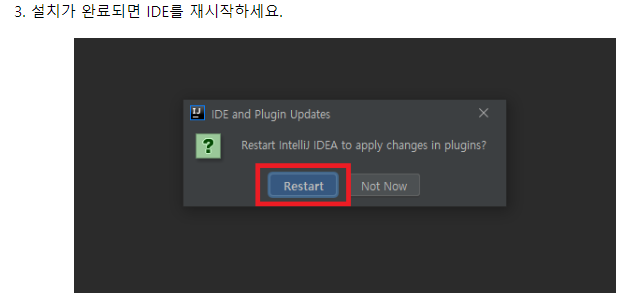
4.
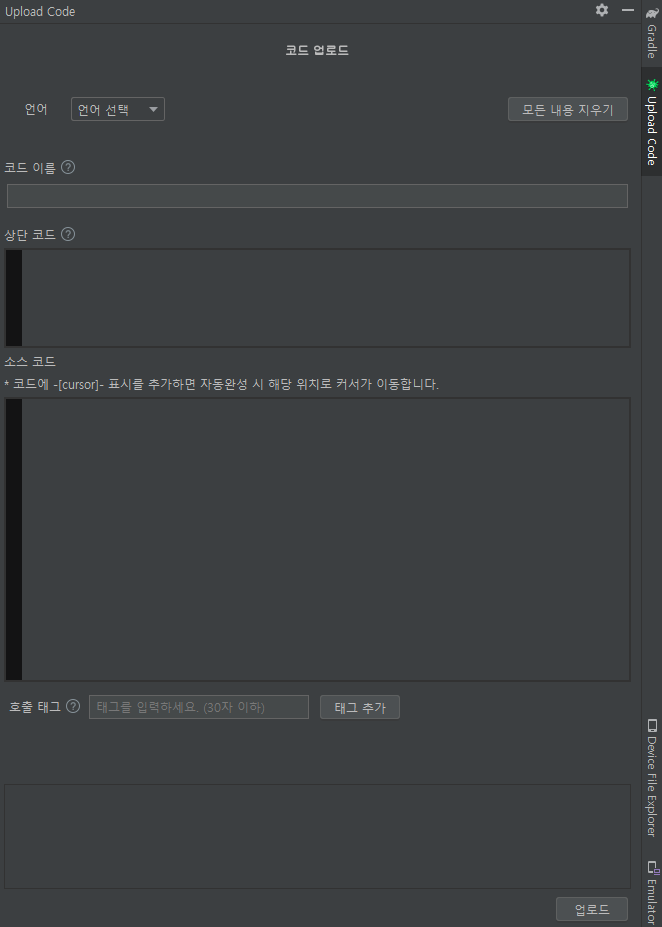
재시작 하면 우측에 사이드바가 보여집니다. 여기에서 언어를 선택하고 내가 검색할 키워드로 이름을 설정합니다.
그리고 상단코드에는 import가 될 코드들을 써주고
소스코드에는 내가 불러올 코드들을 넣어줍니다.
필요 시 태그를 추가해 주고 업로드를 해 주면 저처럼

이렇게만 입력해도 내가 저장한 코드가 나옵니다.
여러분들도 자주쓰게 되는 코드가 있다면 스틱코드를 활용하여 저장해 놓고 편리하게 사용해 보세요!
스틱코드 회원가입하러가기
https://stickode.com/signup.html
스틱코드 회원가입 - Stickode
스틱코드에 회원가입해서 전세계 개발자들의 생산성 높은 코드를 사용하세요!
stickode.com
<결과>
1. text가 입력되지 않았을 때
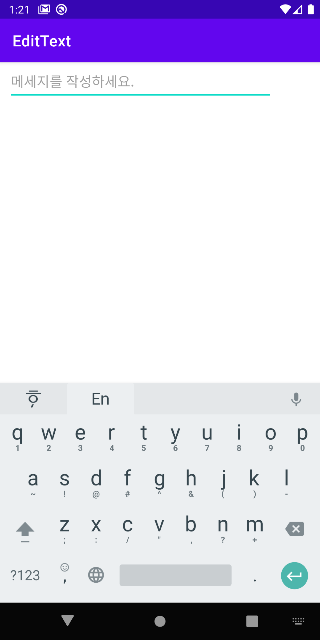
2. text가 입력되었을 때